
Duplicate & Similar Photos
Duplicates and near-identical shots are spotted and grouped automatically. Keep the best one, swipe the rest away — even the "similar" photos the iOS Duplicates album misses.
Your camera roll is out of control — thousands of duplicate photos, screenshots and blurry shots eating your storage. FlickClean fixes it with one satisfying gesture: swipe left to delete, right to keep.

FlickClean scans your library on-device and sorts the junk into modes, so you always know where the easy storage wins are.
Duplicates and near-identical shots are spotted and grouped automatically. Keep the best one, swipe the rest away — even the "similar" photos the iOS Duplicates album misses.
Old boarding passes, memes, receipts — screenshots pile up fast. Bulk-clear them in seconds instead of scrolling for hours.
Blurred mode finds the out-of-focus photos and accidental pocket shots you'd never track down by hand.
Videos are the real storage hogs. FlickClean surfaces them so one swipe can free hundreds of megabytes at a time.
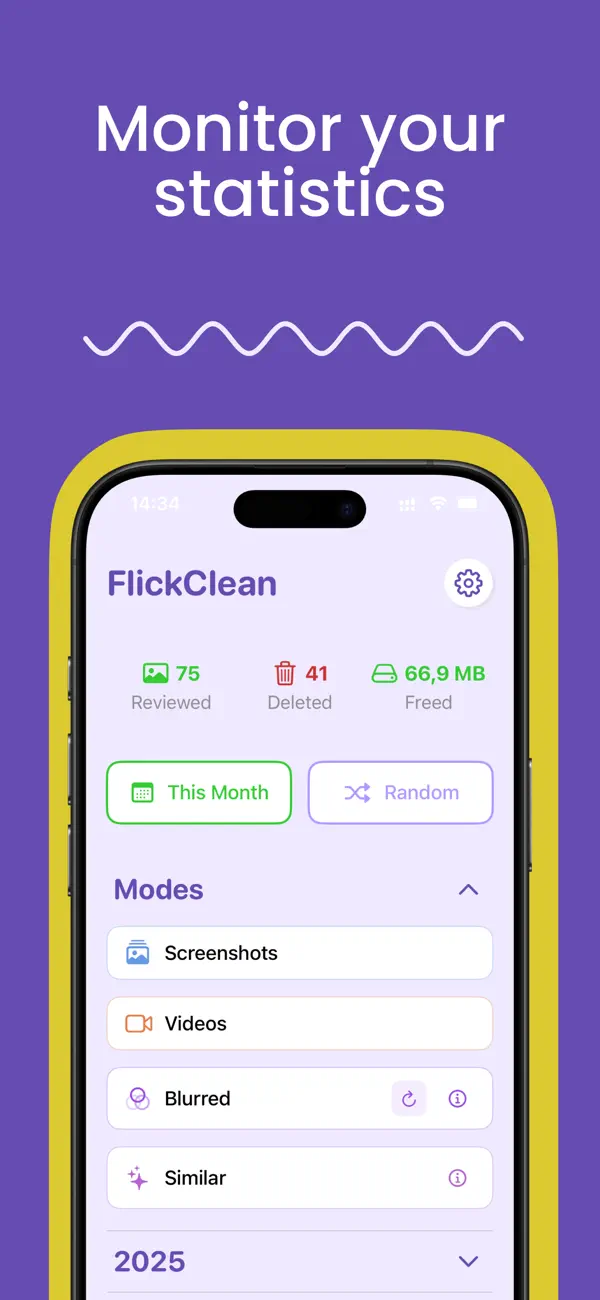
Watch photos reviewed, deleted, and megabytes freed — month by month, year by year. It's oddly satisfying.
Everything happens on your device. No uploads, no account, works offline. Your photos never leave your phone.
Real screenshots from the app — this is exactly what cleaning your iPhone photo library looks like.
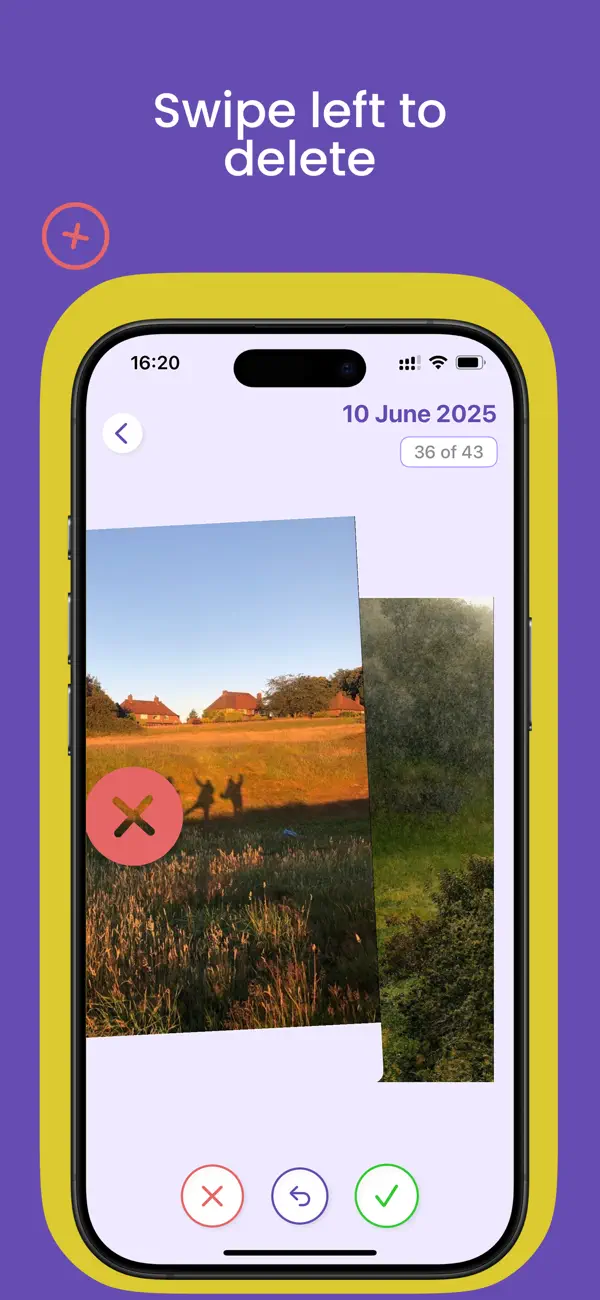
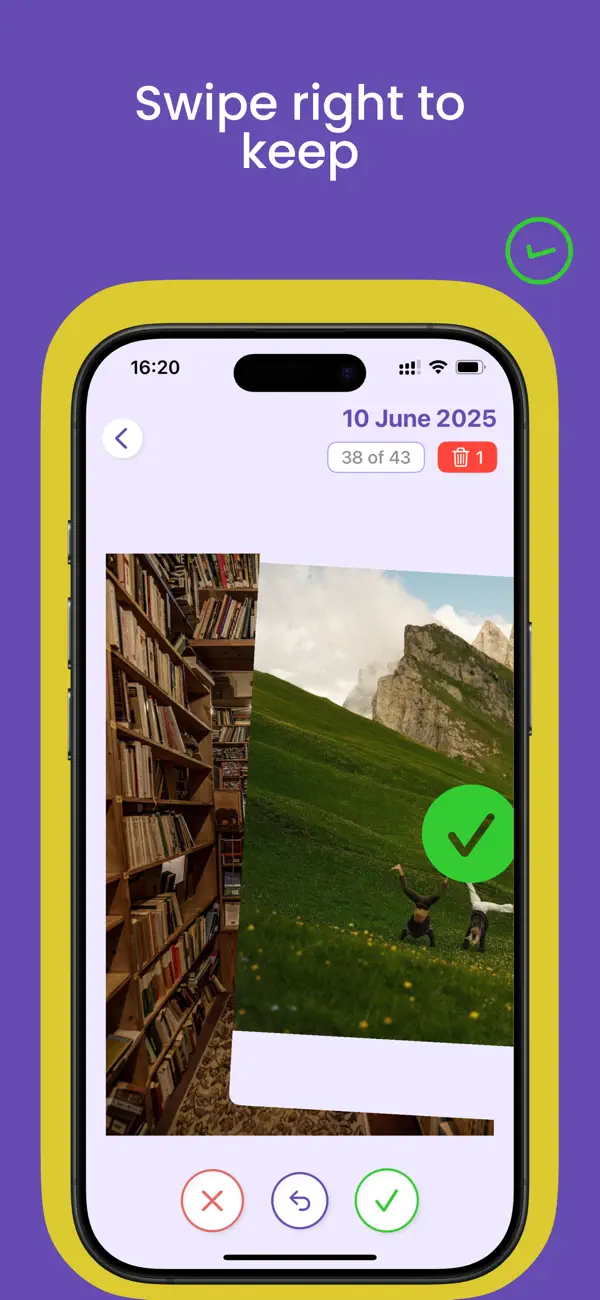
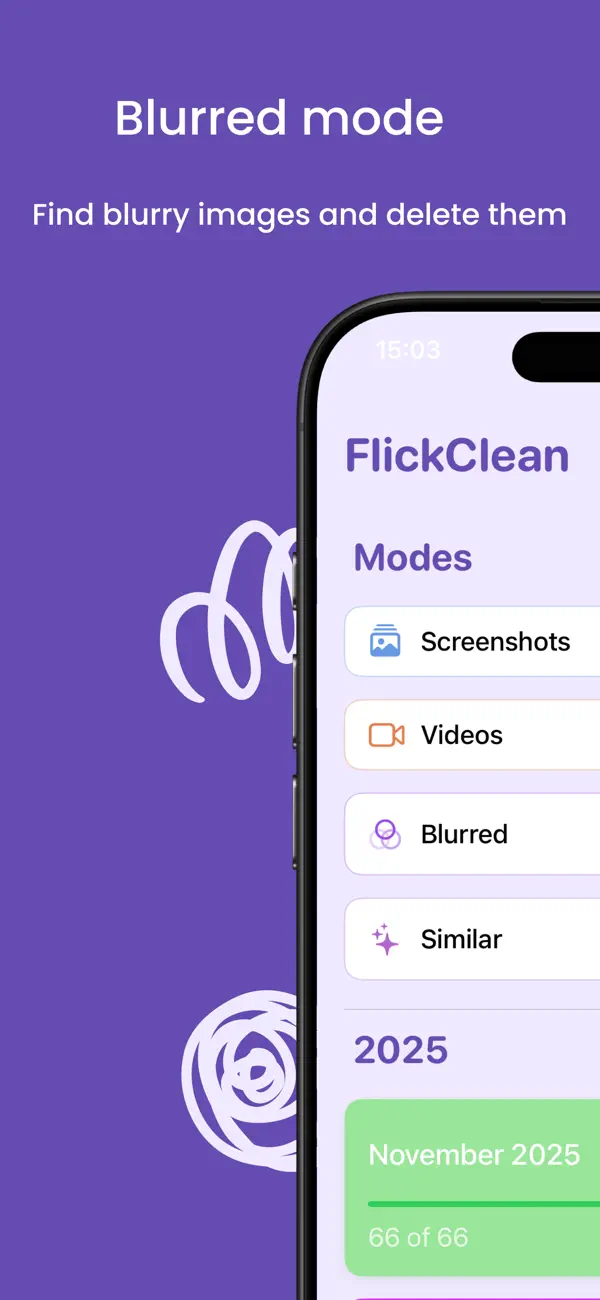
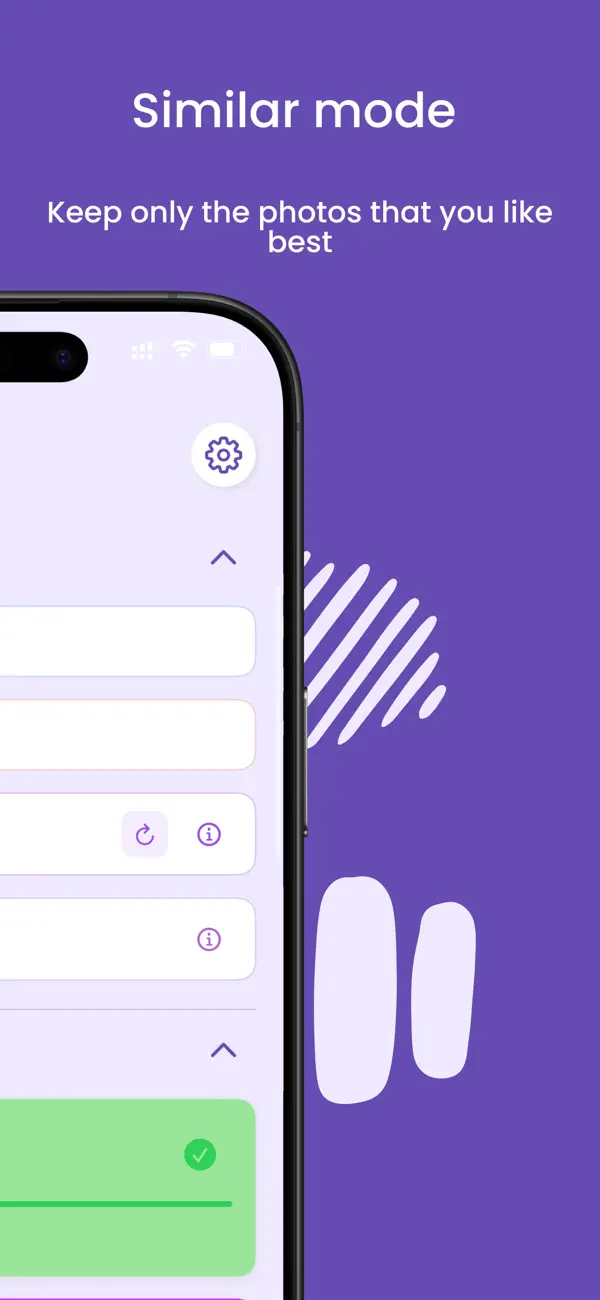
No folders to dig through, no endless scrolling. Open the app, pick a mode, and start swiping.
Screenshots, Videos, Blurred or Similar — or go month by month through your whole camera roll.
Left to delete, right to keep. Changed your mind? Undo any swipe instantly.
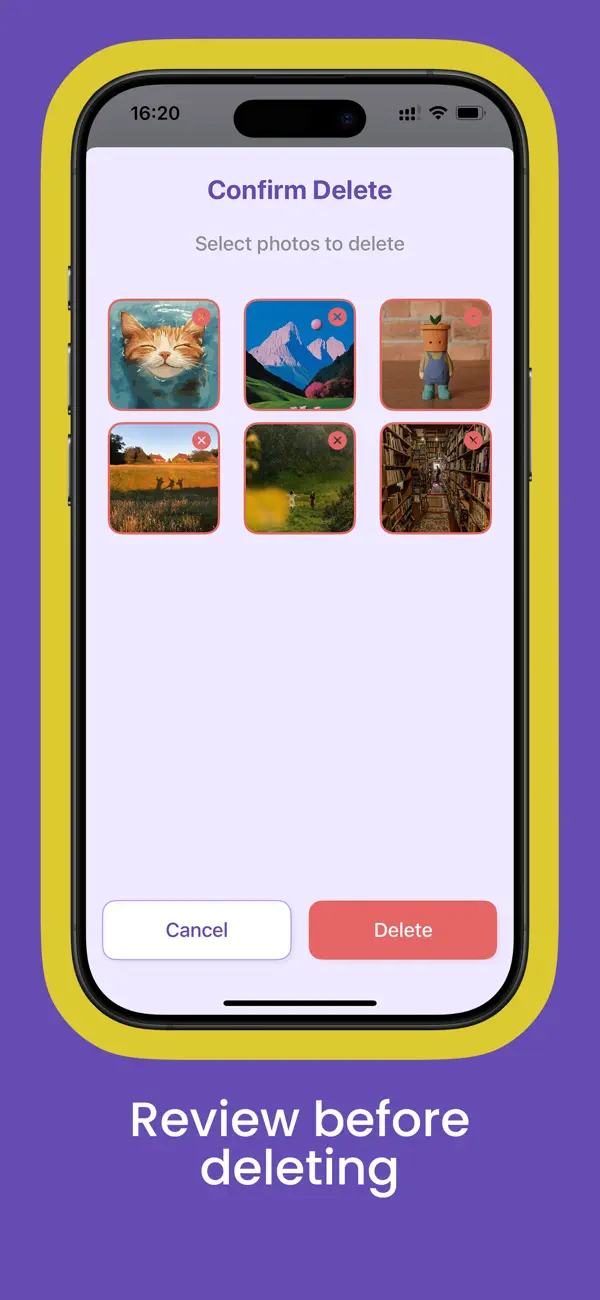
Nothing is deleted behind your back — check the Confirm Delete screen before anything is removed.
See exactly how many photos you've reviewed and how many megabytes you've freed.
Step-by-step answers to the most common iPhone storage problems — and how FlickClean solves each one in minutes.
Find and remove duplicate and near-duplicate photos — including the ones the iOS Duplicates album misses.
Read the guide →Photos and videos are the biggest storage hogs. Here's how to reclaim gigabytes without losing a single app.
Read the guide →iOS has no bulk screenshot delete. This is the fastest way to clear hundreds of screenshots in seconds.
Read the guide →The Photos app can't detect blur. Learn how to automatically find every out-of-focus shot in your library.
Read the guide →Why swiping beats tapping Select on 10,000 photos — and how the left/right gesture works in FlickClean.
Read the guide →A complete camera roll cleanup plan: what to delete first, what to keep, and how to make it a habit.
Read the guide →A single video can eat more space than 500 photos. Here's how to find the biggest ones and clear them.
Read the guide →Ten near-identical shots of the same sunset? Keep the best, delete the rest — automatically grouped.
Read the guide →When storage is full and you can't find the culprit, this checklist finds the hidden space-wasters.
Read the guide →Quick answers about cleaning your iPhone photo library with FlickClean.
Open FlickClean and choose Similar mode. Duplicates and near-duplicates are grouped automatically so you can keep the best shot and swipe the rest away. Unlike the built-in iOS Duplicates album, FlickClean also catches similar photos that aren't pixel-perfect copies. Learn more →
Photos and videos are almost always the biggest storage consumers. FlickClean shows you exactly what's taking up space — duplicates, screenshots, blurry shots and large videos — and clears it in minutes with simple swipes. Learn more →
iOS has no bulk screenshot delete. FlickClean's Screenshots mode collects every screenshot in your library so you can bulk-clear them in seconds, with a review step before anything is permanently removed. Learn more →
Yes — FlickClean's Blurred mode automatically detects blurry and failed shots that the iOS Photos app can't find, so you can delete them all in one pass. Learn more →
No. All scanning happens 100% on your device. Your photos are never uploaded to any server, no account is needed, and the app works offline — premium included. Learn more →
Nothing is lost. You can undo any swipe instantly, and FlickClean always shows a Confirm Delete review screen before photos are actually removed. Deleted photos also stay in the iOS Recently Deleted album for 30 days. Learn more →
FlickClean is free to download with a free daily cleaning limit. Premium removes limits and costs $2.99/week, $7.99/month or $39.99/year — every plan starts with a 3-day free trial. Download it free →
Videos are the biggest storage hogs on most iPhones. FlickClean's Videos mode surfaces them so you can preview each one and swipe away the ones you no longer need — often freeing gigabytes at once. Learn more →
The space is usually hiding in duplicates, screenshots, blurry shots, large videos — and the Recently Deleted album. Our checklist walks through each hidden bucket in order of impact. Learn more →
Join thousands of swipes that have already cleared duplicates, screenshots and blurry shots. Free download, no account, everything stays on your phone.
Get FlickClean on the App Store